Booking new projects for this month · Live calls 8 AM – 1 PM ETdavinder@owsm.ioWhatsApp
iOS App Development

iPhone & iPad apps that feel native and pass App Review the first time

We build in Swift and SwiftUI following Apple’s Human Interface Guidelines, so your app looks and behaves the way iPhone users expect, and gets approved without weeks of back-and-forth.

  • Swift & SwiftUI
  • StoreKit 2 subscriptions
  • Widgets & Live Activities
  • Review-ready builds
Capabilities

Everything Apple’s platform can do

SwiftUI apps

Modern declarative UI for iPhone, iPad and Mac, with UIKit where it still makes sense.

Subscriptions & in-app purchases

StoreKit 2 or RevenueCat, paywalls, free trials, offer codes and server-side receipt validation.

Widgets, Live Activities & App Intents

Home and Lock Screen widgets, Dynamic Island, Siri and Shortcuts integrations that keep users engaged.

HealthKit, Core Location & BLE

Health data, background location, Bluetooth accessories, and Apple Watch companion apps.

Privacy by design

Privacy manifests, App Tracking Transparency, accurate nutrition labels and Sign in with Apple.

Upgrades & modernization

Migrate Objective-C or old UIKit code to Swift, adopt the latest iOS SDK and fix deprecations.

Why it matters

Getting through App Review is part of the job

Apple rejects a large share of submissions, usually for avoidable reasons: incomplete demo accounts, vague permission prompts, missing account deletion, or in-app purchase rules.

We design against the App Store Review Guidelines from the first sprint. Before submission we run our own review checklist, write the reviewer notes, and handle any back-and-forth with Apple for you.

Already stuck? Our App Store rejection help service fixes it fast.

Our pre-submission checklist covers

  • Guideline 2.1: complete build, working demo login
  • Guideline 3.1: correct use of in-app purchase
  • Guideline 4.2/4.3: enough native value, not a web wrapper
  • Guideline 5.1: data collection, account deletion
  • Privacy manifest & required-reason APIs
  • Purpose strings for every permission
  • Metadata & screenshots match the build
Process

From idea to the App Store

  1. Day 1

    Discovery call

    A 30-minute call to understand your users, goals and constraints. You talk to the developer, not a salesperson.

  2. 2–4 days

    Scope & fixed quote

    A written scope, screen list, tech recommendation, milestone plan and fixed price. You own this document even if you don’t hire us.

  3. 1–3 weeks

    Design & prototype

    Clickable Figma prototype of the key flows. You approve every screen before code is written.

  4. 4–12 weeks

    Build in sprints

    Two-week sprints with a live demo and a TestFlight / Play test build each time. You see real progress, not status reports.

  5. Ongoing

    Launch & grow

    We handle App Store and Google Play submission, set up ASO, analytics and crash reporting, then support you after launch.

Recent work

Apps we’ve shipped

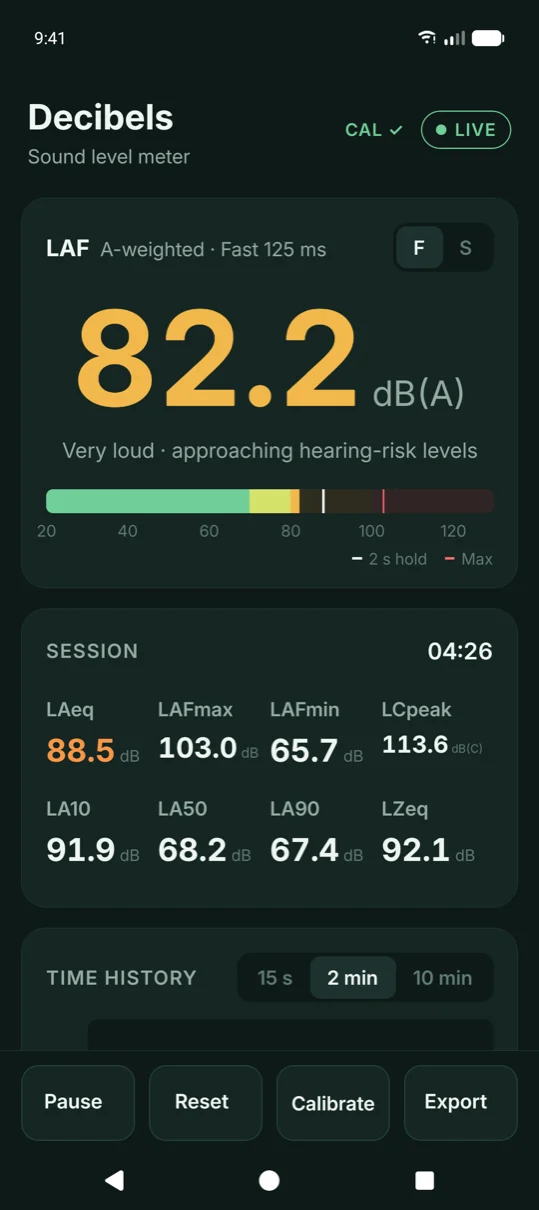
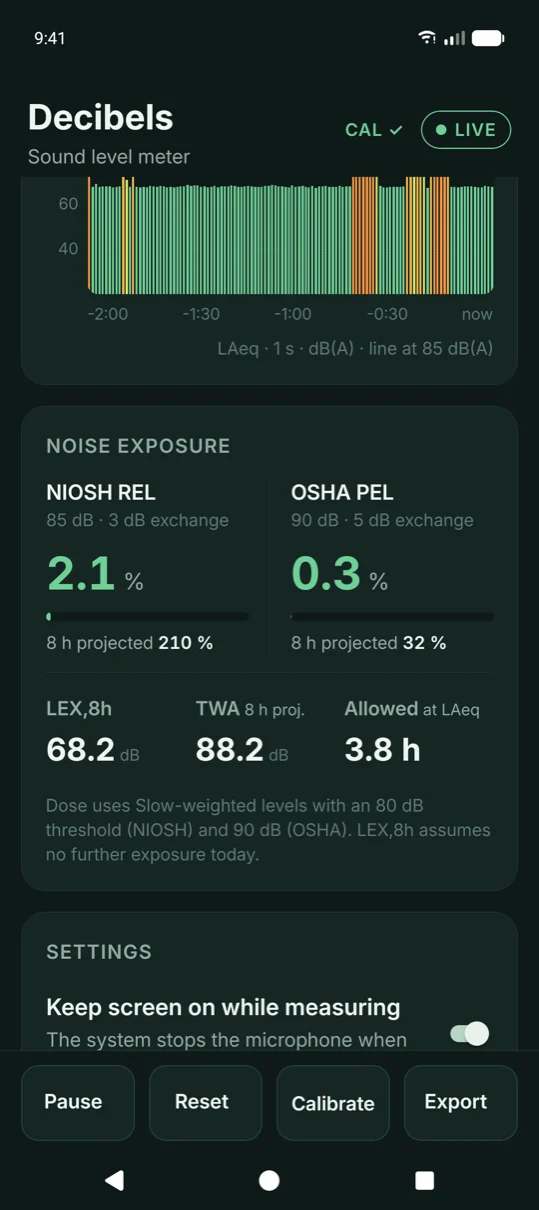
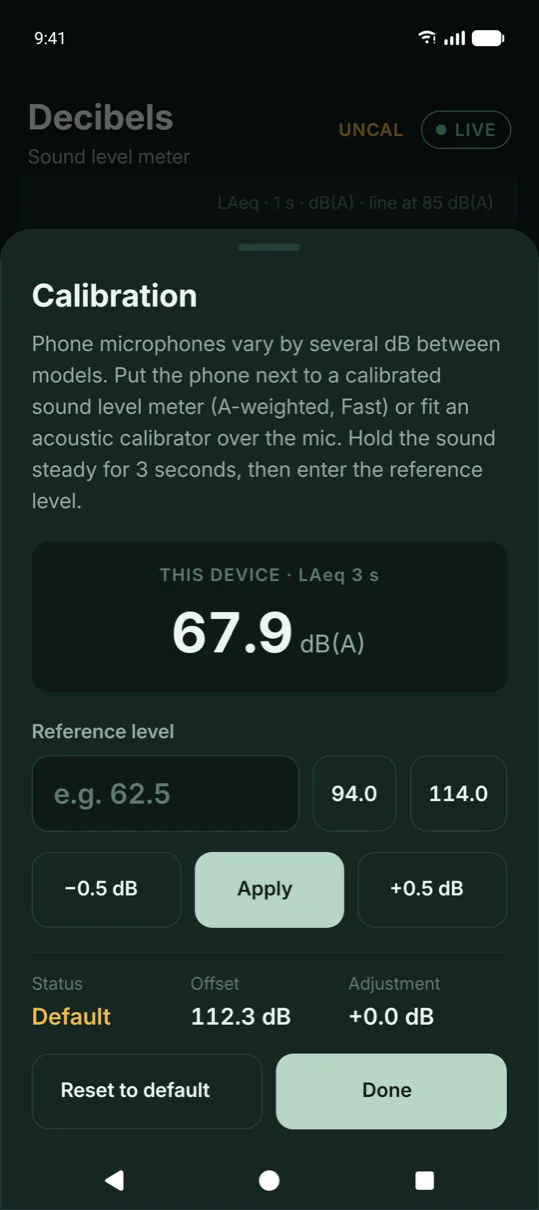
Live in the stores. Install them and judge the work yourself.

Stack

Tools & technologies

  • Swift
  • SwiftUI
  • UIKit
  • Combine
  • Swift Concurrency
  • SwiftData
  • Core Data
  • StoreKit 2
  • RevenueCat
  • WidgetKit
  • ActivityKit
  • HealthKit
  • MapKit
  • CloudKit
  • Firebase
  • Xcode Cloud
  • Fastlane
FAQ

iOS App Development: common questions

Should I build iOS first or both platforms at once?

In the US, iPhone users generate the majority of app store revenue, so many consumer startups launch on iOS first and add Android once they’ve validated demand. If your audience is broad or B2B, a cross-platform build for both stores is usually more cost-effective. We’ll recommend one based on your users.

Do I need a Mac or an Apple Developer account?

You don’t need a Mac. You will need an Apple Developer Program membership ($99/year) in your company’s name so the app is published under your brand. We guide you through enrollment (including the D-U-N-S number for organizations) and work inside your account as a team member.

Can you build an Apple Watch or iPad version?

Yes. SwiftUI lets us share much of the code across iPhone, iPad, Mac and Apple Watch. We usually scope companion apps as a separate milestone so you can decide after launch.

How do you handle App Store rejections?

We design against the guidelines from the start, which prevents most rejections. If Apple does reject a build, we fix the issue and reply to App Review on your behalf at no extra cost during the project.

Tell us about your app. Get a clear estimate in 48 hours.

Free 30-minute call with the developer who would build it. NDA on request, no obligation, no sales pressure.

Reply within 1 business day · Live calls 8 AM – 1 PM ET

WhatsAppFree estimate